Repair a torn photograph
A tear is two problems at once. There are the two halves, which no longer meet cleanly, and there is the strip of the photograph that came away as dust when it tore — a hairline along the split where the emulsion is simply gone.
Sticky tape makes the second problem worse. Tape lifts the surface when it is pulled off, and the adhesive stains the paper brown from underneath over about a decade, which is why so many taped photographs have a yellow bar across them.
We work from a scan, so the print itself stays in the drawer, in whatever number of pieces it is currently in.
What fills a gap in a damaged photograph is our best guess, not what was there.
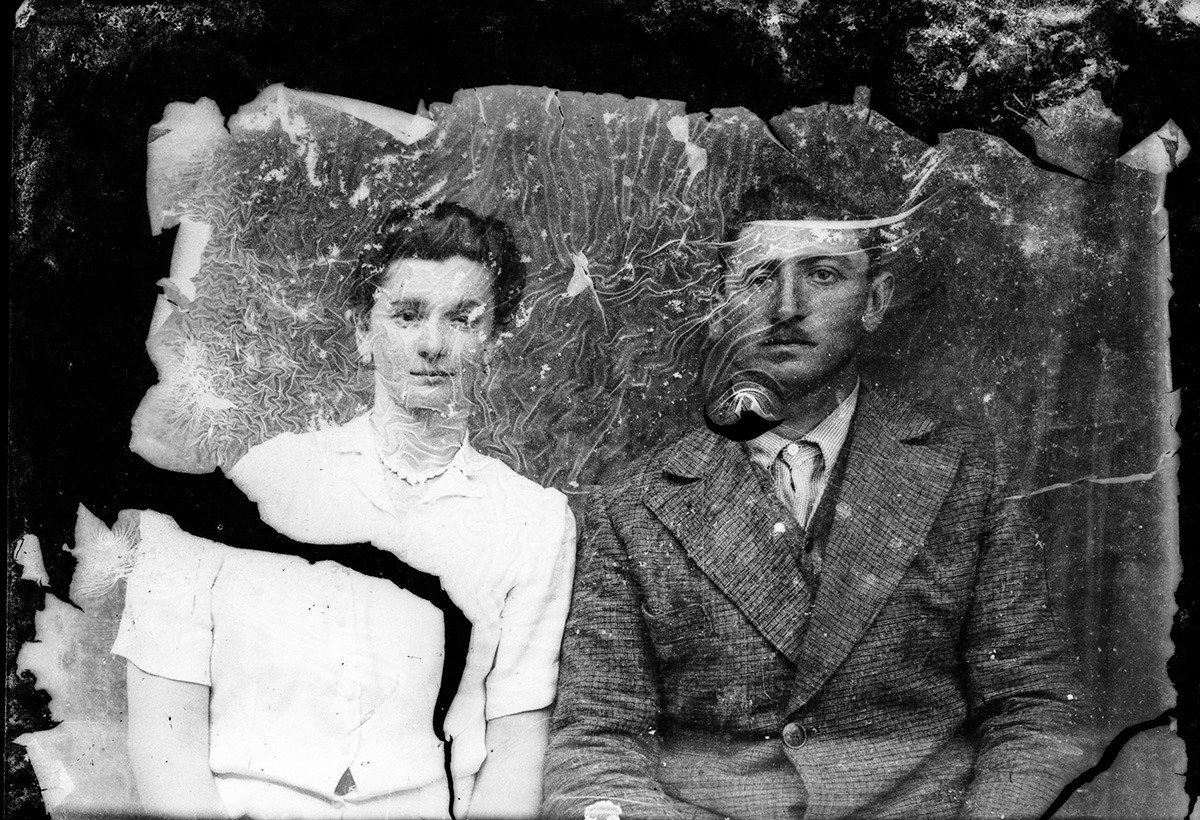
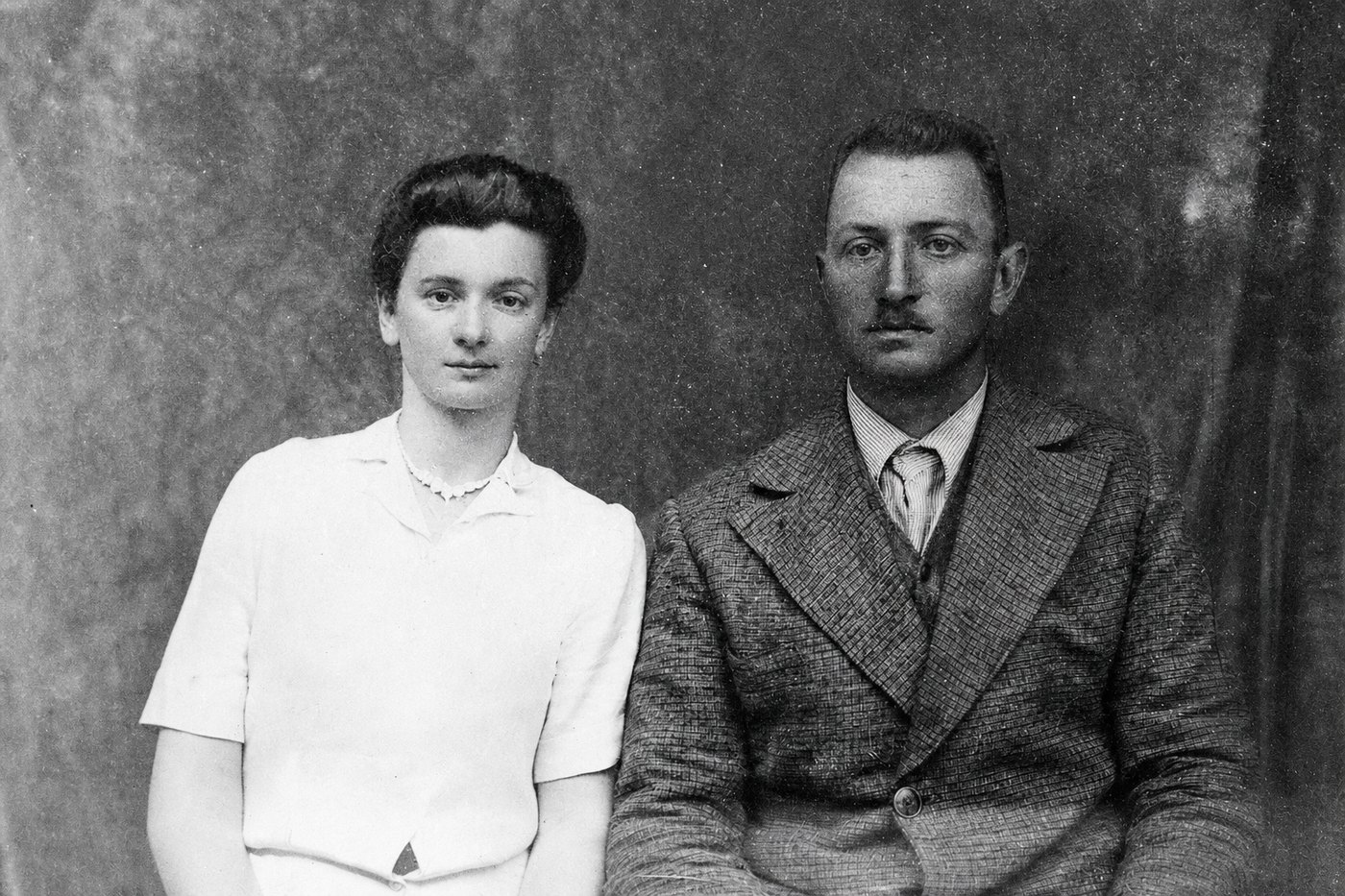
What comes back
- Closing the seam so no line, ridge or lightened edge is left where the halves meet.
- The missing strip along the tear, filled by carrying the detail, grain and focus of the paper either side of it across — an inference, and a safe one where the tear ran through cloth, wall or sky.
- Tears that run through a face, a hand or a patterned dress, which are the ones free tools smear.
- The brown stain and the lifted surface left by tape somebody applied in 1974.
What does not come back
- A fragment that is not in the scan. Put every piece you still have on the scanner, because the gap is filled either way and the fill is only as good as what surrounds it.
- A face the tear took with it. It comes back as a face. It is not that person's face, and nothing we ask of the repair keeps it out of there.
- Which side of the line a given inch of the photograph is on. We can tell you the rule — damage covered it, or damage destroyed it — and not where it falls on yours.
What fills a gap in a damaged photograph is our best guess, not what was there.
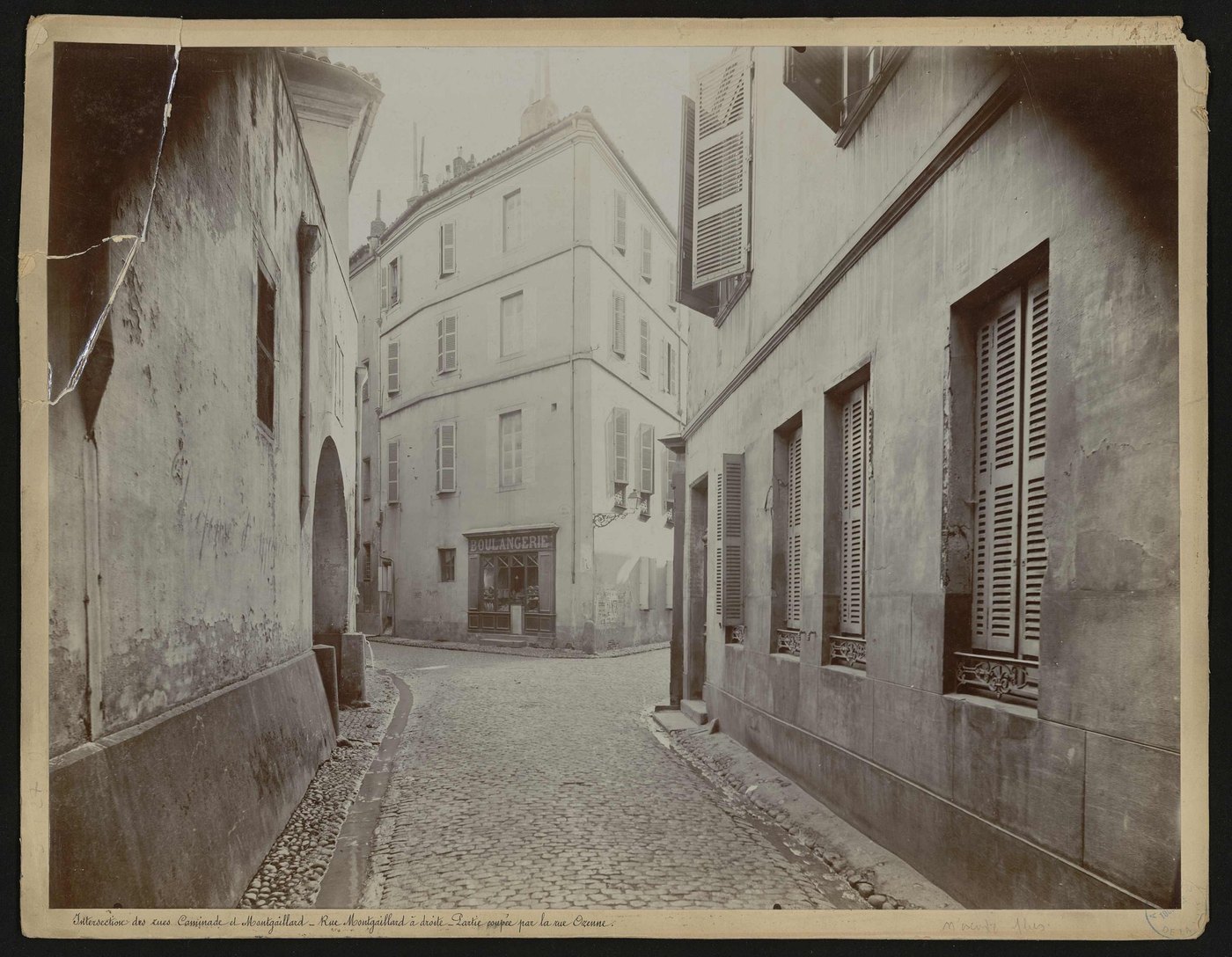
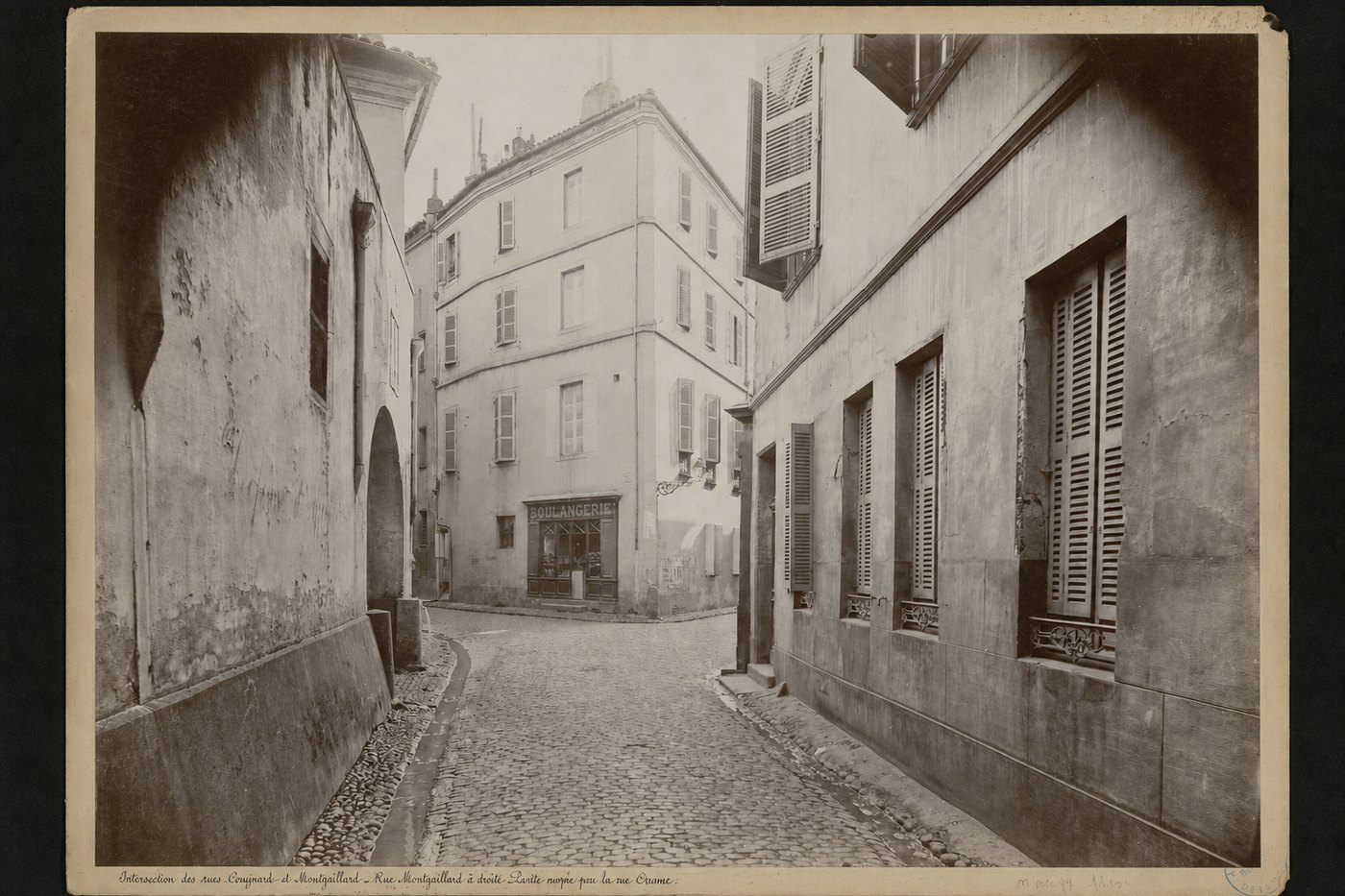
Three of these, repaired
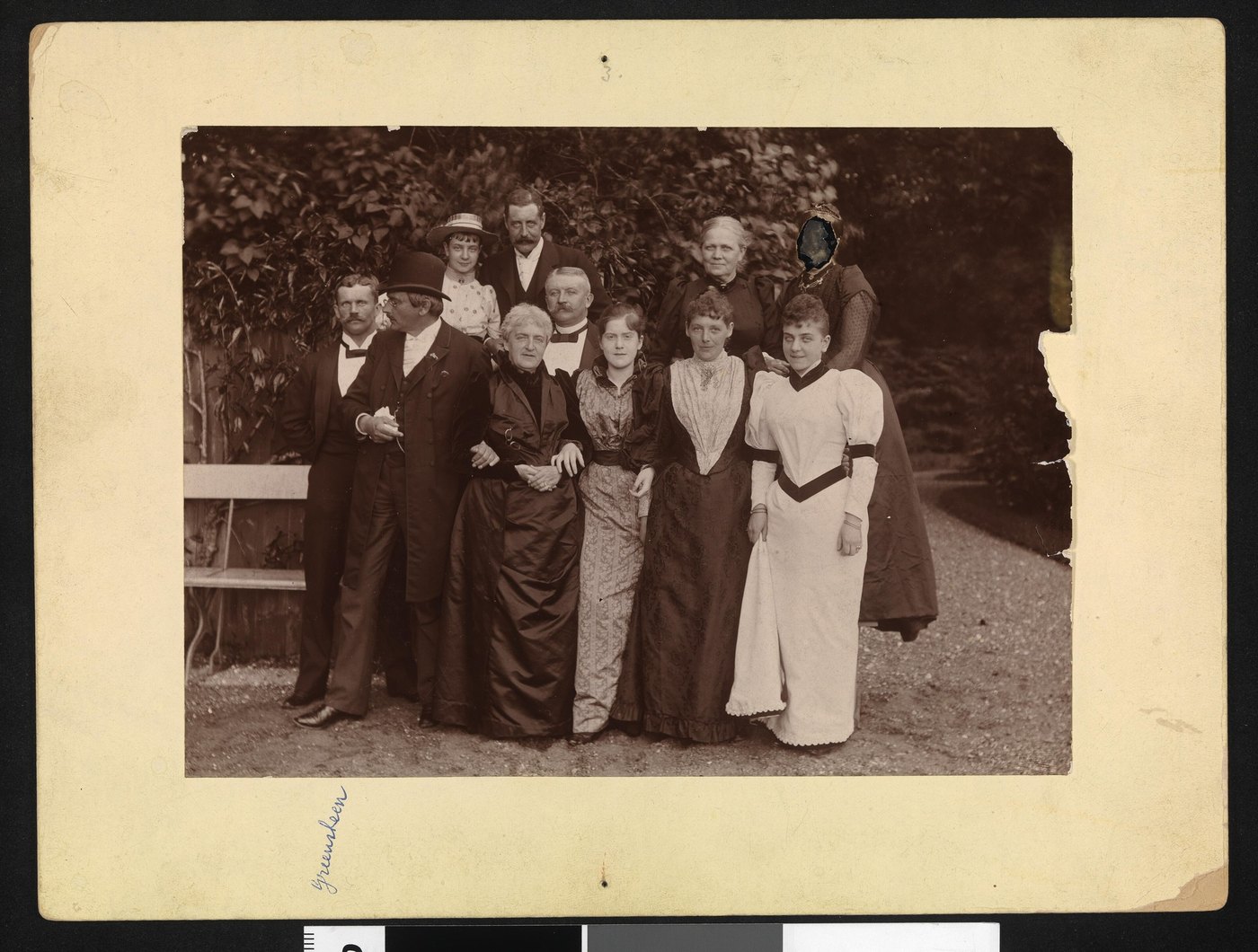
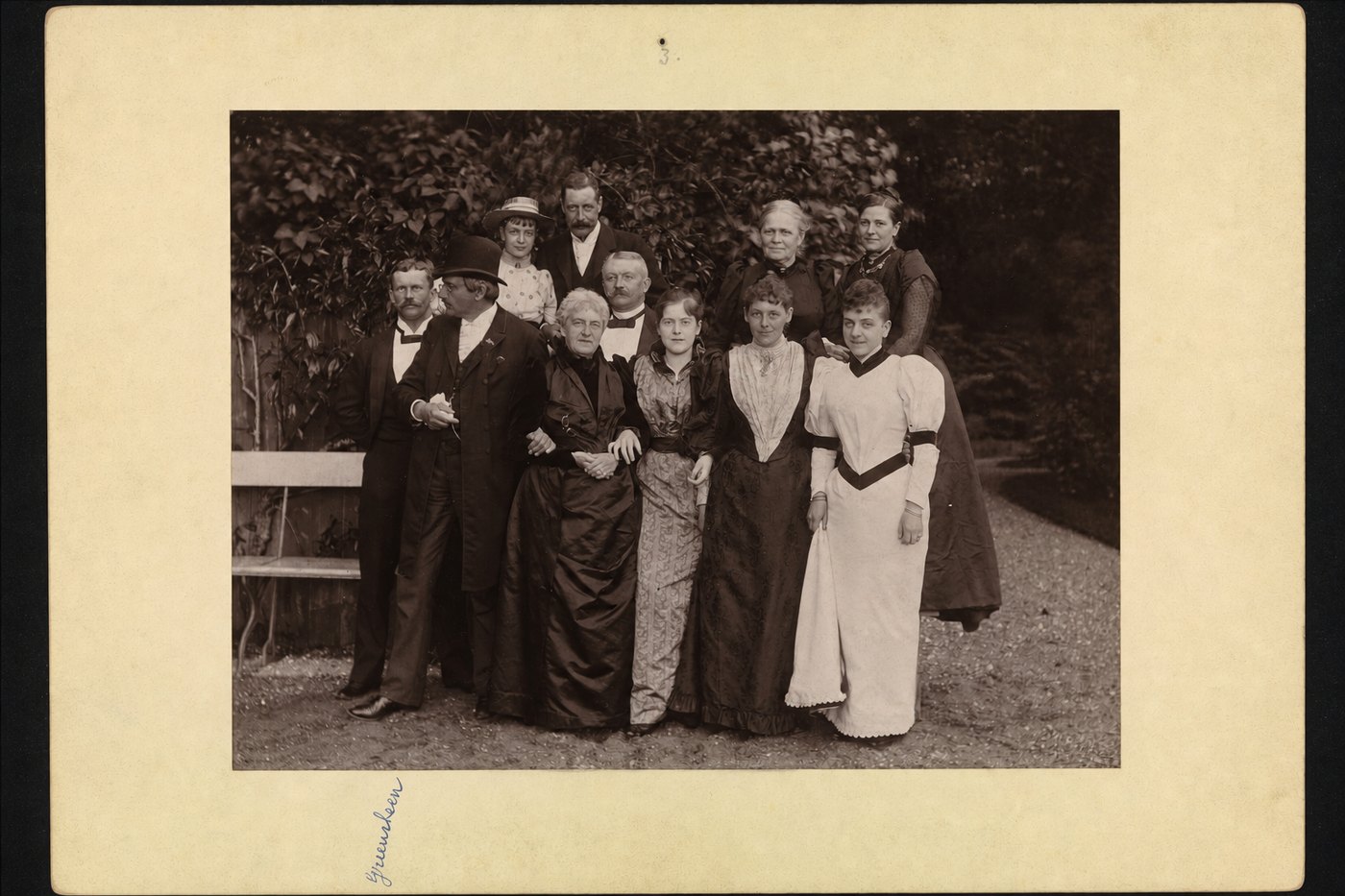
Before you scan it
Do not tape the halves together and do not glue them. Lay the pieces on the scanner in the position they belong in, put a sheet of plain paper behind them, and let the lid rest rather than press. If the print is brittle at the tear, the guide below has the way to move it without losing more of it.
Questions about this kind of damage
- The photograph is in two pieces. Do I scan them separately?
- Scan them together in one pass, laid in the right position with a small gap if they will not sit flush. One scan of both halves gives us the alignment; two scans of one half each does not.
- Should I take the tape off first?
- No. Old tape takes the surface with it. Send it as it is — the tape and the stain under it are damage like any other, and removing them by hand is the risky part.
- Will the repaired photograph still look like a photograph?
- That is the whole test. The grain, the focus and the paper tone carry through the repaired strip. Nothing outside the tear is touched, which is what stops a repair turning into a painting.
Try it on yours
One photograph, repaired, free, with no card. Send this exact kind of damage and see what comes back before you spend anything.
Repair one photograph, freeIf it doesn't look like the person you remember, you don't pay.